
How CoatOps and BayOps work
Painting crews and repair shops do not work the same way.
CoatOps follows a painting job from approved estimate to closeout. BayOps follows a repair order through bays, technicians, blockers, and completion. Each product stays specific to the work.
Request a product walkthroughCurrent product screensSanitized demo data
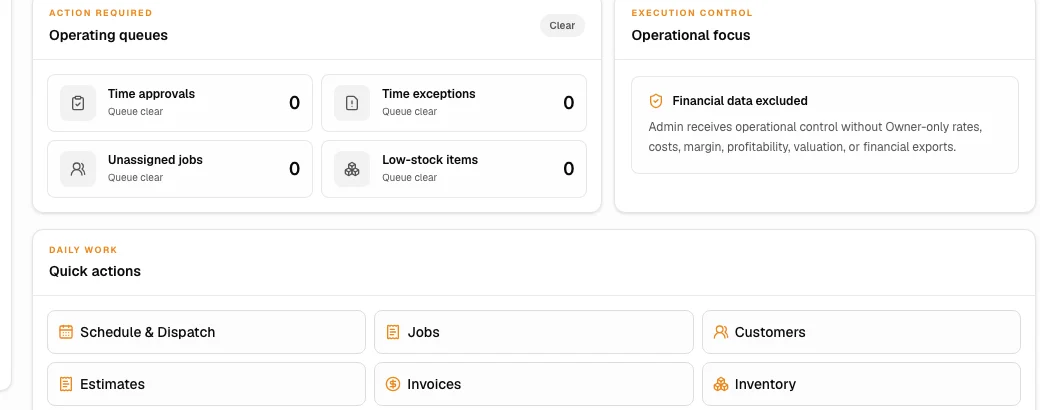
CoatOps / Painting
Estimate-to-closeout for painting contractors.
The workflow carries approved scope, crew scheduling, field work, materials, changes, time, and closeout forward with the same painting job.
Capture painting scope, exclusions, assumptions, and what the customer approved.
Carry approved scope into the painting job instead of recreating it after the sale.
Coordinate crew assignments, access, job readiness, and the work plan.
Keep time, photos, notes, forms, materials, and change work tied to the job.
Close punch items, photos, and change work before the job is finished.
Keep the invoice record connected to the completed job and its approved changes.
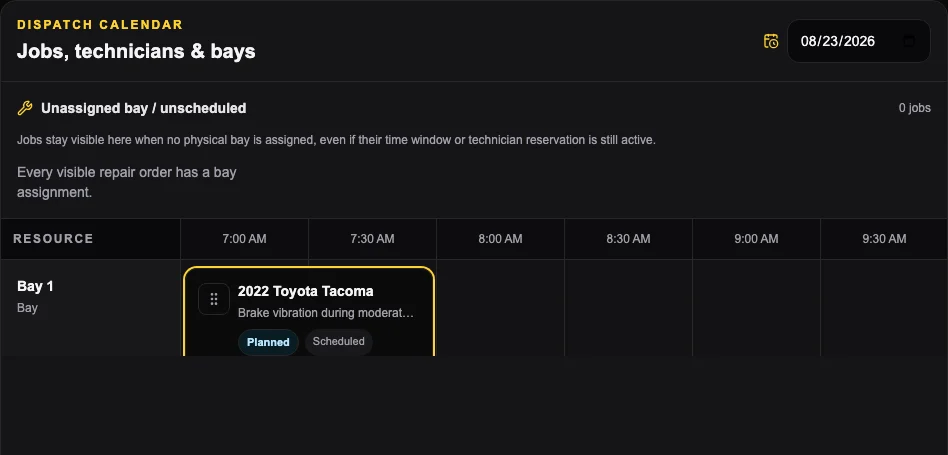
BayOps / Automotive repair
Keep appointments, repair orders, bays, and technician work connected.
BayOps moves from appointment and check-in into the repair order, Bay Board, technician work, blockers, time clocks, and completion.
Show upcoming appointments without treating them as work that is ready for a bay.
Move the appointment into active shop work.
Keep active repair work organized around the repair order and its current status.
Separate active, ready, and blocked work when shop capacity changes.
Use the mobile queue, clocks, blocked-state actions, and typed notes.
Keep the current status visible so everyone can see blocked work and what needs to happen next.
Product walkthrough
Bring one real job. See which product fits the way your team works.
Use a real painting job or repair order. We will follow it through the product so you can compare the software with the way your team actually works.
Request a product walkthrough